
Top 5 app quản lý thời gian miễn phí Gen Z VN 2026 — Notion + Todoist + Apple Calendar
Top 5 app quản lý thời gian miễn phí Gen Z VN 2026 — Notion, Todoist, Apple Calendar, Forest, RescueTime.
Mục lục (29 mục)
Tóm tắt nhanh
| Hạng mục | App | Free tier |
|---|---|---|
| 🏆 All-in-one | Notion | Free unlimited |
| 💎 To-do focused | Todoist | Free 5 projects |
| 📅 Calendar | Apple Calendar / Google | Free unlimited |
| 🌳 Focus | Forest | Free basic |
| 📊 Time track | Toggl Track | Free unlimited |
Vì sao Gen Z cần time management
Symptoms thiếu time management:
- To-do list 50+ tasks chưa làm
- Deadline missed regular
- Social media 4+ giờ scroll mindless
- Project pile up cuối tháng
- Burnout end of week
Time management benefits:
- Productivity 30-50% higher
- Less stress
- Work-life balance
- Achieve goals consistently
Top 5 chi tiết
1. Notion (all-in-one workspace)
Free tier:
- Unlimited blocks personal use
- 7-day version history
- Sync 2 devices
- 5MB file uploads
Mục đích dùng:
- Notes + task + database combo
- Project management
- Knowledge base personal
- Habit tracker
- Class notes / study material
Ưu điểm:
- Customize endless với templates
- Database powerful (table, board, calendar, gallery)
- Community templates free
- AI features (Notion AI paid)
Nhược điểm:
- Learning curve steep
- Slow on mobile mid-range
- Offline limited
- Image-heavy slow
Templates Gen Z popular:
- Student Hub (class schedule + notes)
- Habit Tracker daily
- Reading list (books queued)
- Workout journal
- Personal finance dashboard
Phù hợp với: Power users want comprehensive system.
2. Todoist (task management focused)
Free tier:
- 5 active projects
- 5 collaborators
- 3-day activity history
- Basic recurring tasks
Mục đích dùng:
- Daily task list
- Project breakdown
- Recurring habits
- Quick capture
Ưu điểm:
- Natural language input ("Tomorrow 9am gym")
- Karma gamification (level up complete tasks)
- Cross-platform sync fast
- Keyboard shortcuts efficient
- Integration Gmail / Slack
Nhược điểm:
- Free 5 project limit small
- Premium $48/year cho more
- UI minimal (some find boring)
Setup recommend:
- Inbox (capture everything)
- Today (auto)
- Work / School / Personal projects
- Filters: Today + Priority 1
Phù hợp với: Task-focused, want simple + fast.
3. Apple Calendar / Google Calendar (scheduling)
Free entirely
Mục đích dùng:
- Event scheduling
- Time blocking
- Class schedule
- Meeting reminders
Apple Calendar pros:
- iOS native integration
- Family sharing
- Siri shortcuts
- Privacy-focused
Google Calendar pros:
- Cross-platform
- Workspace integration (Docs, Meet, Gmail)
- Quick add natural language
- Multi-calendar layered
Best practice:
- Color code: school (blue), work (red), personal (green)
- Time block 9-11 deep work focus
- Buffer 15p between meetings
- Review weekly Sunday
Phù hợp với: Anyone with schedule (everyone).
4. Forest (focus + anti-distraction)
Free tier:
- Basic tree growing
- Limited tree species
- $1.99 unlock all features once
Mục đích dùng:
- Pomodoro 25 phút focus
- Anti-phone distraction
- Study session tracking
- Plant real trees (Trees for the Future partnership)
Ưu điểm:
- Gamification motivate
- Aesthetic UI (Gen Z love)
- Real-world impact (plant trees achievement)
- Friends compete
Nhược điểm:
- Focused on phone not desktop (web extension exists)
- $1.99 unlock full
Phù hợp với: Phone distraction issue, visual learner.
Lựa chọn khác:
- Be Focused (iOS free Pomodoro)
- Pomofocus (web free)
- Forest competitor: Flora (similar)
5. Toggl Track (time tracking)
Free tier:
- Unlimited tracking
- 5 workspaces
- Reports basic
- Integrations Trello, Asana, etc.
Mục đích dùng:
- Track time per project
- Freelance billing
- Study time accounting
- Discover time leaks
Ưu điểm:
- Auto-tracking idle detect
- Browser extension one-click
- Reports beautiful
- Mobile + desktop sync
Nhược điểm:
- Manual habit start tracking
- Premium reports $$ ($10/month)
- Privacy concern auto-tracking
Phù hợp với: Want data on where time goes.
Lựa chọn khác:
- RescueTime (auto-tracking deeper)
- Clockify (similar Toggl)
- Tmetric (open source)
Combo recommend
Combo Student:
- Notion (notes + assignments database)
- Todoist (daily todo)
- Apple/Google Calendar (class schedule)
- Forest (focus study session)
Combo Freelancer:
- Notion (project portfolio)
- Todoist (client tasks)
- Toggl (time tracking billing)
- Google Calendar (client meetings)
Combo Office worker:
- Apple/Google Calendar (work schedule)
- Todoist (task)
- Forest (focus block)
How to start (1 week)
Day 1-2: Choose 2 apps
- 1 task manager (Notion or Todoist)
- 1 calendar (Apple or Google)
- Don't over-tool
Day 3-4: Setup
- Migrate existing tasks
- Set up daily review
- Color code calendar
Day 5-7: Test workflow
- Morning: review today's calendar + todo
- During work: Pomodoro focus
- Evening: review + plan tomorrow
Week 2+: Optimize
- Add Forest if distraction issue
- Add Toggl if curious time usage
- Refine system weekly
Productivity methods support
Pomodoro:
- 25 phút focus + 5 phút break
- 4 cycle + 15 phút long break
- Forest / Be Focused implement
Time blocking:
- Block calendar deep work 90-120 min
- Color code by category
- Defend block from meetings
Eisenhower Matrix:
- Urgent + Important: Do
- Important not urgent: Schedule
- Urgent not important: Delegate
- Not urgent not important: Delete
Getting Things Done (GTD):
- Capture everything
- Clarify (actionable?)
- Organize (project / context)
- Reflect (weekly review)
- Engage (execute)
Lỗi thường gặp
| ❌ Pitfall | ✅ Solution |
|---|---|
| Too many apps | Max 3-4 essential |
| Over-customize Notion | Use templates first |
| Track time obsessively | Focus on output |
| Calendar empty | Time block proactively |
| No weekly review | Sunday 30p plan |
Health tracking integration
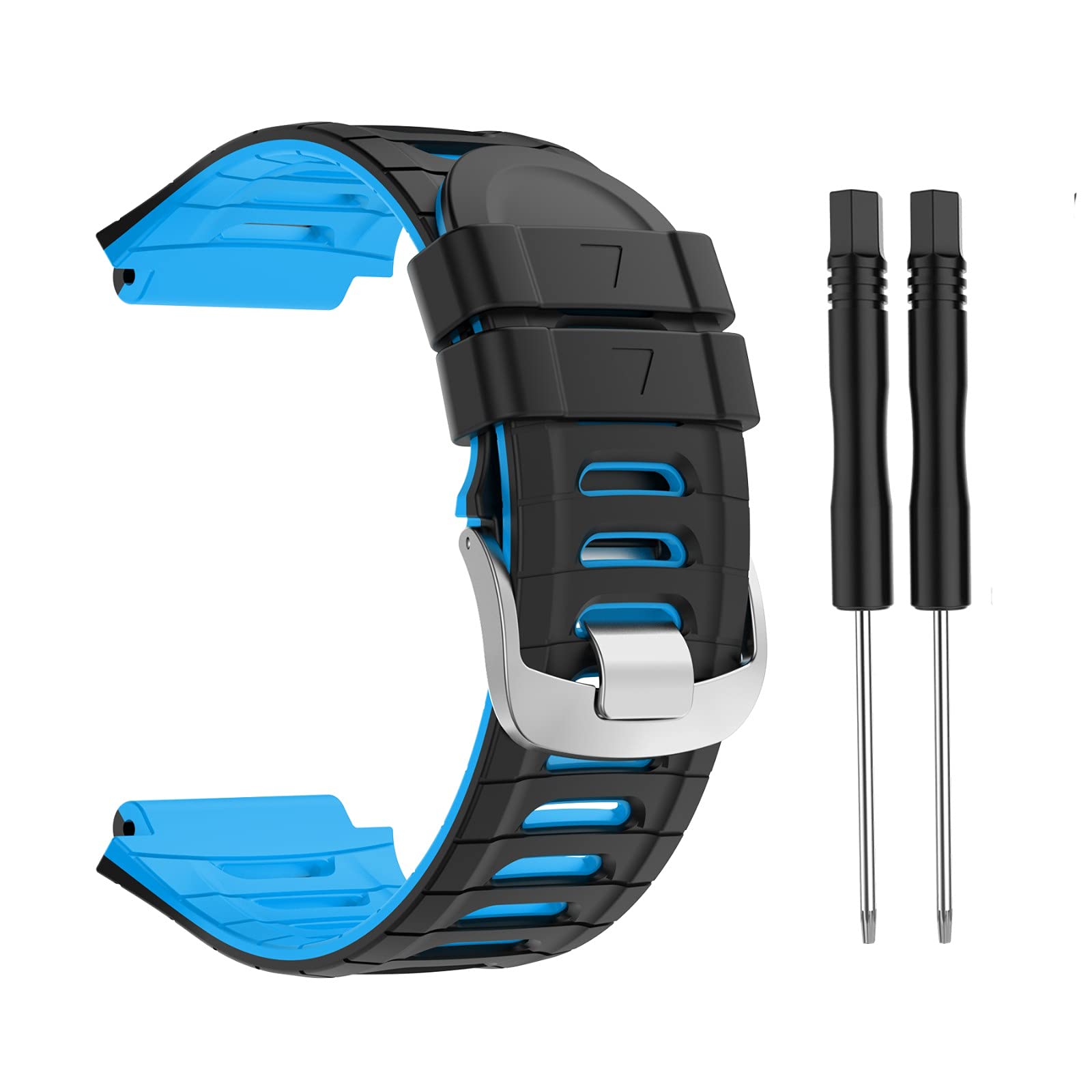
Mi Band 9 — sync với Health app, track sleep + activity, complement time management with health data.
Health metrics quan trọng:
- Sleep 7-9h (NEED for productivity)
- Steps 8000+ daily
- Stress monitoring (HRV)
- Resting HR trend
→ Schedule workout time block, monitor recovery.
Phone notification discipline
Chuẩn bị:
- Disable non-essential notification
- Focus mode work hours (iOS Focus / Android Do Not Disturb)
- Apps in folder: Notifications Off
- Lock screen widget: today's task + calendar
Apps disable notification:
- All games
- Social media (Instagram, TikTok)
- Email (batch check 2-3x/day)
- News apps
Apps enable notification:
- Calendar reminders
- Slack/Discord (work team)
- Family contacts
- Banking (security alerts)
FAQ chi tiết
Notion vs Obsidian — chọn cái nào?
- Notion: cloud-first, collaborate, database-centric
- Obsidian: local-first (privacy), markdown, knowledge graph
Student / collaborative: Notion. Knowledge worker / privacy: Obsidian.
Calendar Apple vs Google?
- Apple: privacy + iOS integration
- Google: cross-platform + Workspace
If iPhone + Mac only: Apple. If Windows + Android + multi-device: Google.
Todoist free 5 project đủ không?
Đủ cho students / individual. Freelance / multiple clients: cần Premium $48/year.
App nào miễn phí phổ biến VN?
- Notion: VN community sôi động, templates VN
- Apple Calendar: iPhone phổ biến VN
- Todoist: language support Việt
- Forest: visual appeal Gen Z VN