
Cách tối ưu iPhone pin tốt Gen Z VN 2026 — battery health + settings + charging
Cách tối ưu iPhone pin tốt Gen Z VN 2026 — battery health 100%, dark mode, low power, optimized charging. Pin lâu cả ngày.
Mục lục (54 mục)
Tóm tắt nhanh — 12 settings iPhone tiết kiệm pin
| # | Setting | Tiết kiệm pin |
|---|---|---|
| 1 | Brightness auto + tone | 20-30% |
| 2 | Dark mode 24/7 | 15-25% OLED |
| 3 | Background app refresh off | 10-15% |
| 4 | Location services optimize | 5-10% |
| 5 | Push notifications limit | 5-10% |
| 6 | 5G smart data mode | 8-12% |
| 7 | ProMotion lower (Pro models) | 10-15% |
| 8 | Email fetch manual | 5-10% |
| 9 | Optimized Battery Charging | longevity |
| 10 | Auto-Lock 30 giây | 3-8% |
| 11 | iCloud sync wifi only | 5% |
| 12 | Vibration limit | 3-5% |
→ Total potential 50-80% pin extra so với default.
Why iPhone battery decline
Lithium-ion lifecycle:
- 500 cycles → ~80% capacity
- 1000 cycles → ~70% capacity
- 1 cycle = 100% drain (can be split: 100→50 + 100→50)
- Battery degrade từ ngày đầu tiên
Factors accelerate decay:
- Heat exposure (above 35°C)
- Deep discharge (0%)
- Constant 100% storage
- Fast charging frequent
- Charge cycle high frequency
12 settings chi tiết
1. Brightness control
Lộ trình: Settings → Display & Brightness
Optimize:
- Brightness 50-60% (not 100%)
- Auto-Brightness ON (adjusts environment)
- True Tone ON (warmer evening)
- Dark mode toggle automatic
Pin saved: 20-30%.
2. Dark mode (OLED iPhone)
Lộ trình: Settings → Display & Brightness → Dark
Vì sao:
- OLED pixels off for black = no power
- 15-25% battery saving
- Easier on eyes evening
Compatible apps:
- Most modern apps respect system theme
- Twitter, Instagram, YouTube dark
- Settings automatic schedule sunset
3. Background App Refresh
Lộ trình: Settings → General → Background App Refresh
Lựa chọn:
- Off entirely (max battery)
- Wi-Fi only (data + battery)
- Per-app control (selective)
Keep on for:
- Messaging (WhatsApp, Messenger)
- Email essential
- Banking app
- Calendar
Turn off:
- Game apps
- Photo editing
- Social media (re-fetch manually)
- Map apps when not commuting
4. Location Services
Lộ trình: Settings → Privacy & Security → Location Services
Options per app:
- Never (most apps don't need)
- While Using (best privacy + battery)
- Always (only essential)
Disable globally:
- Settings → Privacy → System Services
- Turn off: iPhone Analytics, Routing & Traffic, Significant Locations
5. Push notifications
Lộ trình: Settings → Notifications
Reduce notifications:
- Disable: social media, games, news
- Keep: calls, messages, banking, calendar
Hiệu ứng:
- Less wake-up screen
- Less push fetch
- Mental health bonus
6. 5G smart data
Lộ trình: Settings → Cellular → Cellular Data Options → Voice & Data
Choose:
- 5G Auto (smart, best balance)
- 5G On (max speed, drain pin)
- LTE (slowest, longest pin)
5G Auto recommended cho VN 2026.
7. ProMotion 120Hz (Pro models)
Lộ trình: Settings → Accessibility → Motion → Limit Frame Rate
Toggle ON to cap at 60Hz.
Trade-off:
- Smooth scrolling reduced
- Battery 10-15% extra
- Worth for daily use, can toggle off gaming
8. Email fetch settings
Lộ trình: Settings → Mail → Accounts → Fetch New Data
Lựa chọn:
- Push (instant, battery drain)
- Fetch every 15 min (balance)
- Fetch hourly (longer battery)
- Manual (check when open app)
Optimal:
- Personal email: Manual
- Work email: Fetch hourly
- Important: Push only specific accounts
9. Optimized Battery Charging
Lộ trình: Settings → Battery → Battery Health & Charging
Toggle ON:
- Optimized Battery Charging
- 80% Limit (iPhone 15 Pro+)
Hiệu ứng:
- iPhone learn charging pattern
- Slow charge past 80% overnight
- Reach 100% just before wake
- Reduce time at full charge
10. Auto-Lock timing
Lộ trình: Settings → Display & Brightness → Auto-Lock
Khuyên dùng:
- 30 giây (shortest)
- 1 phút (balance use + battery)
- Avoid: 5 min or Never
11. iCloud sync
Lộ trình: Settings → [Name] → iCloud
Optimize:
- Photos: Wi-Fi only upload
- iCloud Drive: Wi-Fi only sync
- Apps: review which need iCloud
12. Vibration
Lộ trình: Settings → Sounds & Haptics
Reduce:
- Sounds OFF if vibrate ringtone OFF
- System Haptics OFF (button click feedback)
- Save minor battery, less annoying
Apple iPhone-specific tips
Low Power Mode:
Lộ trình: Settings → Battery → Low Power Mode
Hiệu ứng:
- Limit background processing
- Lower brightness max
- Disable some animations
- Stop email fetch + iCloud
Cách dùng:
- Below 20% turn on
- Long day without charging access
- Activates automatically below 20%
Limit notifications grouped:
- Settings → Notifications → Per App → Notification Grouping → By App
Reduces wake-screens for multiple notifications same app.
Restart weekly:
- Soft reset weekly
- Clear cache + apps memory
- Settings → General → Shut Down
Update iOS regularly:
- Apple optimize battery every iOS update
- Major version improvements
- Don't fall behind 2+ versions
Charging best practices
Baseus 100W USB-C cable — fast charge new iPhone, durable braided.
Baseus Airpow MagSafe charger — wireless 15W, compatible iPhone 12-17.
Cable + Charger:
For iPhone 15-17:
- USB-C 20W minimum
- USB-C to USB-C cable
- Apple Original 20W (~700k)
- Anker Nano 3 (good alternative)
- Baseus / UGreen GaN
Tránh:
- Cheap cable < 100k (damage port)
- Unbranded charger (overheat risk)
- Old USB-A cables Lightning (iPhone 15+ USB-C)
Charge habit:
Tốt nhất:
- 20-80% sweet spot
- Slow charge overnight (Optimized Charging)
- Top off OK (small charge times)
- Don't deep discharge 0%
Tránh:
- Full discharge 0% regular
- Constantly 100% (always plugged)
- Heat (charging in sun, car)
- Cheap cable (volt spike)
Fast charging:
- 20W minimum for fast charge
- 30 phút = 50% charge
- Faster wear long-term
- Use for emergency, not daily
MagSafe vs cable:
- MagSafe slower (max 15W)
- More convenient
- Heat slightly higher (more degradation)
- Long-term: cable better battery health
Apps that drain pin
Worst offenders:
- TikTok (high refresh rate, GPU)
- Instagram (constant refresh, video)
- YouTube (video streaming)
- Snapchat (camera, GPS)
- Pokemon GO (constant GPS, GPU)
- Maps / Navigation (GPS active)
Optimize:
- Limit background refresh these apps
- Use mobile data sparingly (5G drain)
- Close after use (swipe up)
Heat management
Why heat matter:
- Battery damage above 35°C
- Capacity loss accelerate
- Performance throttle iPhone
Avoid heat:
- Don't leave car sun
- Skip outdoor video record long
- Remove case fast charging
- Don't game heavy + charge simultaneous
- Allow cool between gaming sessions
Cool down:
- Power off if very hot
- Move to cooler environment
- Wait before charging
Battery health monitoring
Lộ trình: Settings → Battery → Battery Health & Charging
Information shown:
- Maximum Capacity (current vs original)
- Peak Performance Capability
- Optimized Battery Charging toggle
Replacement threshold:
- Below 80% capacity: replace recommended
- AppleCare+ covers battery replacement
- Apple Store / authorized service
Cost replacement:
- iPhone 12-13: ~$70 (~1.7tr)
- iPhone 14: ~$80
- iPhone 15 Pro: ~$100
- Out of warranty service VN
Travel + Emergency
Travel tips:
- Battery pack mandatory (10000mAh)
- Multiple cables backup
- Airplane mode when no signal needed
- Download offline maps + content
- Power bank with USB-C PD
Emergency low battery:
- Turn on Low Power Mode
- Decrease brightness 30%
- Airplane mode (kill cellular)
- Close all background apps
- Disable Wi-Fi Bluetooth if not needed
- Stop video / streaming
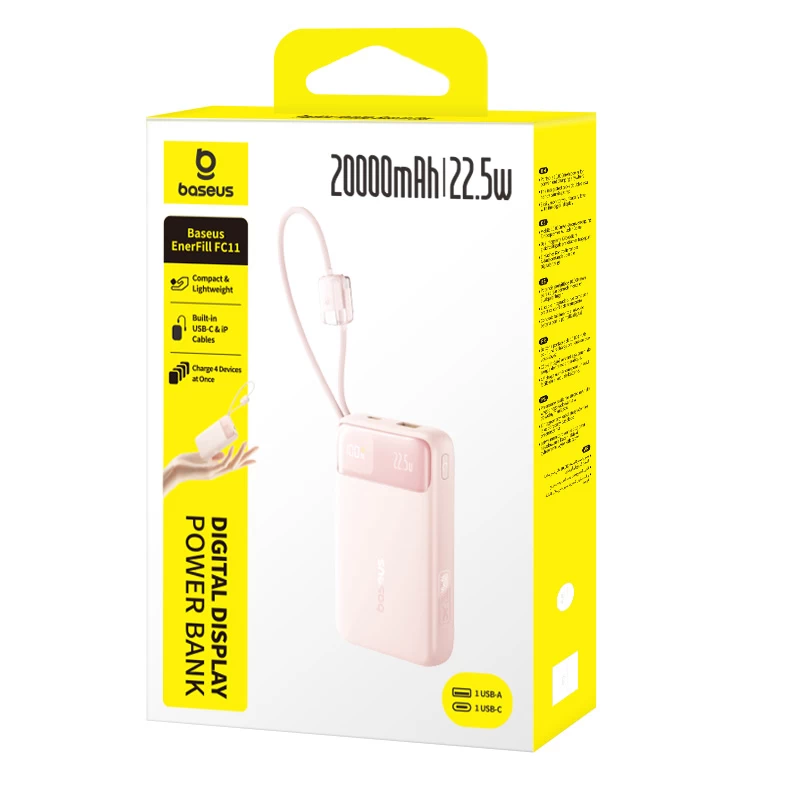
Power bank recommendations:
- Anker MagGo 10000mAh (~$50) MagSafe
- Baseus Magnetic 10000mAh (~$30)
- Capacity for 2-3 charges iPhone 15
Comparison vs Android
iPhone advantages:
- Optimized hardware + software
- Apple Silicon efficient
- Long support (5-7 năm iOS update)
Android advantages:
- Bigger batteries phone (4500-5000 mAh typical)
- More options charging speed (65W+ Xiaomi/Oppo)
- Custom ROM aggressive battery saving
iPhone limitation:
- Cannot deep customize battery
- Cannot replace battery DIY
- Cannot use generic cable Lightning era
Long-term phone lifespan
Battery replacement:
- Replace at 80% capacity
- Cost 1-2tr Apple official
- Extends phone life 2+ years
Phone lifespan:
- iOS support 5-7 năm
- iPhone 15 will support until 2029-2031
- Software still useful longer
- Battery sole limiting factor often
Resell value:
- Apple holds value best
- 1 year: ~70% original
- 3 years: ~50%
- 5 years: ~30%
Sai lầm thường gặp
| ❌ Sai | ✅ Sửa |
|---|---|
| Brightness 100% | 50-60% auto |
| Charge to 100% always | 80% limit |
| Cheap cable | Apple original or quality GaN |
| Heat charging | Cool environment |
| Apps unrestricted background | Limit Background App Refresh |
Specific iPhone 15-17
USB-C transition:
- Lightning gone
- USB-C cables now
- Old chargers compatible with USB-A to USB-C cable
USB-C data speed:
- iPhone 15 / 16 base: USB 2.0
- iPhone 15 Pro / 16 Pro / 17 Pro: USB 3 (10Gbps)
- Need right cable for fast data
Action button:
- Custom function
- Less battery vs Camera shutter usage
Apple Intelligence (iPhone 15 Pro+):
- AI features battery drain
- On-device processing improving
- Disable if not used
FAQ chi tiết
Sạc qua đêm có hại pin không?
Modern iPhone Optimized Battery Charging giúp slow charge past 80%. Mostly safe, but ideally 80% limit + unplug when reach.
Pin 100% có vấn đề?
Short-term OK. Long-term constantly at 100% degrades faster. Aim 20-80% cycle.
Wireless charging có damage pin?
Slight more heat than wired = slight more degradation. Convenience worth it most. Don't use for fast charging frequently.
Mua charger chính hãng iPhone ở đâu?
- Apple Store Vincom (Apple official)
- TopZone, iCenter (authorized)
- Lazada Apple mall
- Anker, UGreen, Baseus GaN (verified)