
Cách chọn keyboard cho typist Gen Z VN 2026 — switch + layout + ergonomic
Cách chọn keyboard cho typist Gen Z VN 2026 — Cherry MX vs Topre vs Optical. Layout TKL vs 60% vs Full. Ergonomic split.
Mục lục (49 mục)
Tóm tắt nhanh
| Profile typist | Switch type | Layout | Brand |
|---|---|---|---|
| Beginner | Brown tactile | TKL | Logitech, Keychron |
| Speed typist | Red linear | 65-75% | Glorious, Keychron Q |
| Heavy typer | Topre | Full size | HHKB, Realforce |
| Office quiet | Silent red | TKL | Logitech MX, NuPhy |
| Programmer | Tactile / clicky | TKL / 80% | Glorious GMMK, Drop |
Switch type chi tiết
Linear switches (smooth, no bump):
Ví dụ:
- Cherry MX Red, Black
- Gateron Yellow, Red
- Akko Pink, Red
Ưu điểm:
- Smooth keystrokes
- Quiet typing
- Fast actuation
Nhược điểm:
- Less feedback ("when did I press?")
- Higher chance accidental press
Phù hợp với: Speed typists, gaming, video editors.
Tactile switches (bump, no click):
Ví dụ:
- Cherry MX Brown
- Gateron Brown
- Holy Panda (premium)
- Boba U4T
Ưu điểm:
- Tactile feedback (feel actuation)
- Quieter than clicky
- Versatile typing + gaming
Nhược điểm:
- "Mushy" feel some brands
- Slower than linear
Phù hợp với: Beginners, mixed typing + gaming, programmers.
Clicky switches (bump + audible click):
Ví dụ:
- Cherry MX Blue
- Kailh Box Jade
- Razer Green
Ưu điểm:
- Maximum tactile + audible feedback
- Satisfying "thock"
- Type-writer feel
Nhược điểm:
- LOUD (office annoying)
- Not for streamer mic pickup
Phù hợp với: Home use, retro typist enjoyment.
Topre (electrocapacitive):
Ví dụ:
- HHKB Hybrid Type-S
- Realforce R3
Ưu điểm:
- Unique "thock" sound
- Smooth + tactile combo
- Hyper-reliable
Nhược điểm:
- $$$$ (premium $300+)
- Limited customize
- Niche community
Phù hợp với: Enthusiast typist, programmer professional.
Layout sizes
Full size (100%):
- All keys including numpad
- 104 keys
- Best for: data entry, finance, accounting
TKL / Tenkeyless (87%):
- Skip numpad
- 87 keys
- Best for: most typists, gamers (extra mouse space)
75% layout:
- TKL compressed
- 84 keys
- Best for: laptop transitioners
65% layout:
- Skip function row
- ~68 keys
- Best for: minimalists, traveler
60% layout:
- Skip arrow + function row
- 61 keys
- Best for: programmer (function via Fn layer), aesthetic
40% layout:
- Letters + modifier only
- Custom builds mostly
- Best for: extreme minimalists
Top picks 2026
Office quiet typing (silent switches):
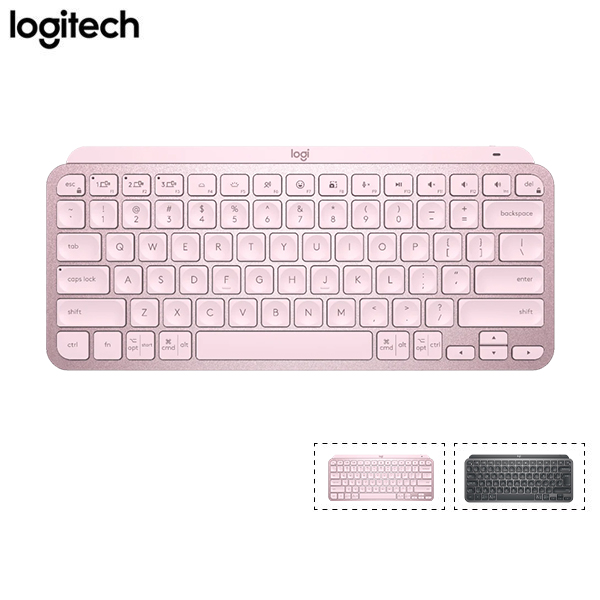
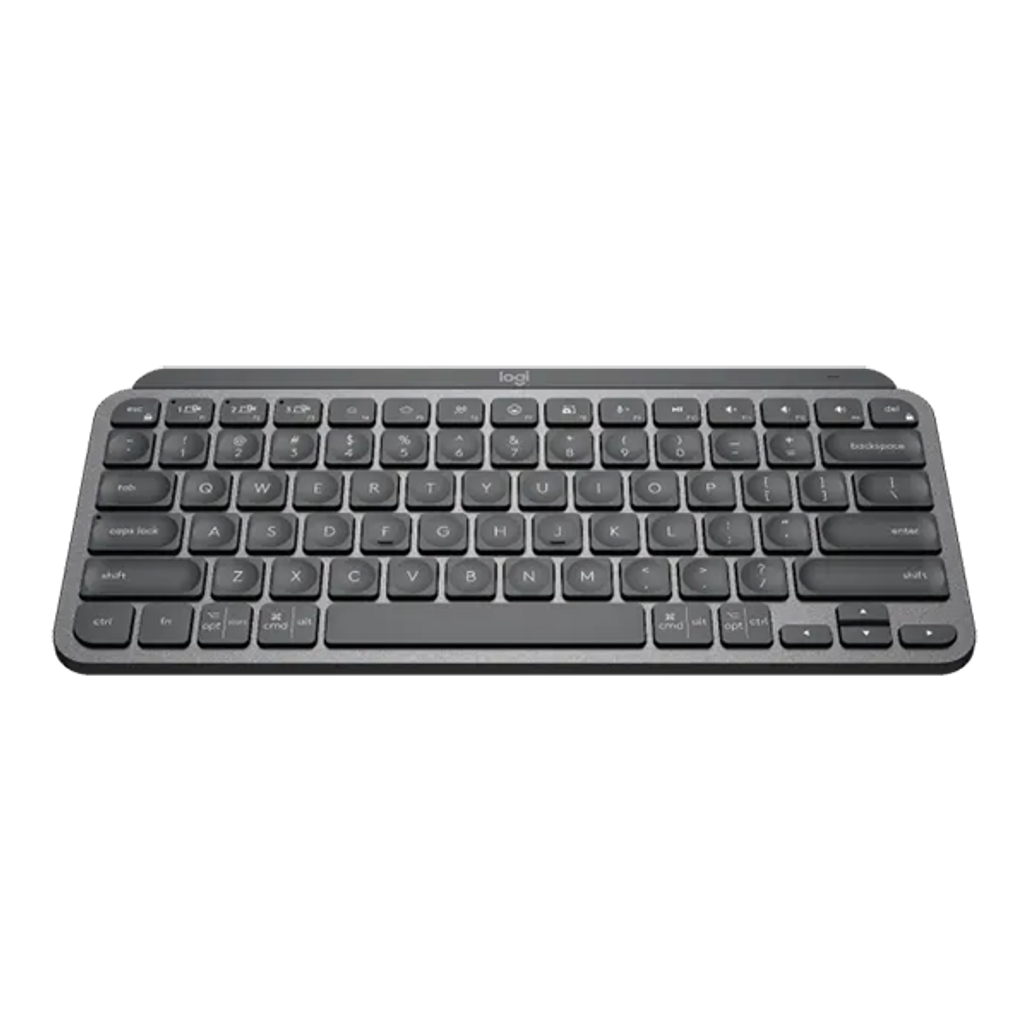
Logitech MX Keys Mini — laptop-style scissor switches, ultra quiet, wireless multi-device. ~3tr.
Lựa chọn khác:
- NuPhy Air75 V2 (low profile mech) ~3-4tr
- Keychron K3 (low profile) ~3tr
Mechanical entry:
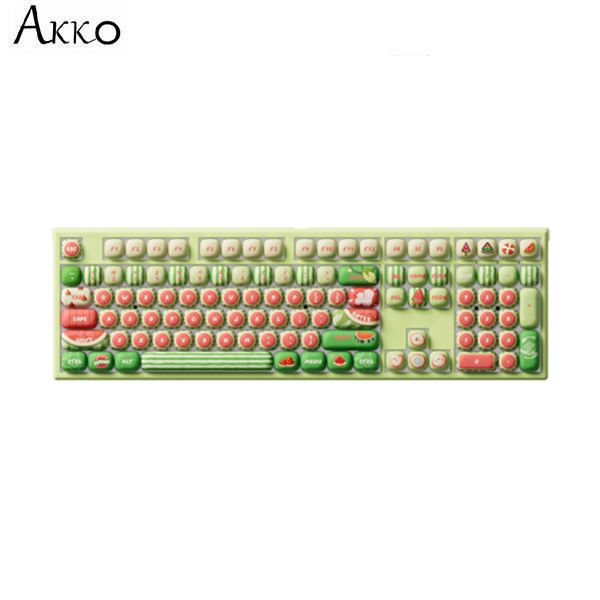
Akko / Monsgeek mechanical — budget-friendly, customizable, hot-swap switches. ~1-2tr.
Monsgeek M1 / M3 — popular Gen Z budget mech.
Lựa chọn khác:
- Keychron K2 / K6 ~3tr
- Glorious GMMK Pro ~5tr
- Royal Kludge RK68 ~1.5tr
Premium build (enthusiast):
- HHKB Hybrid Type-S ~7-8tr
- Realforce R3 ~6-9tr
- Drop ALT / SHIFT ~5tr
- Keychron Q1 / Q2 ~4-6tr
Esports performance:
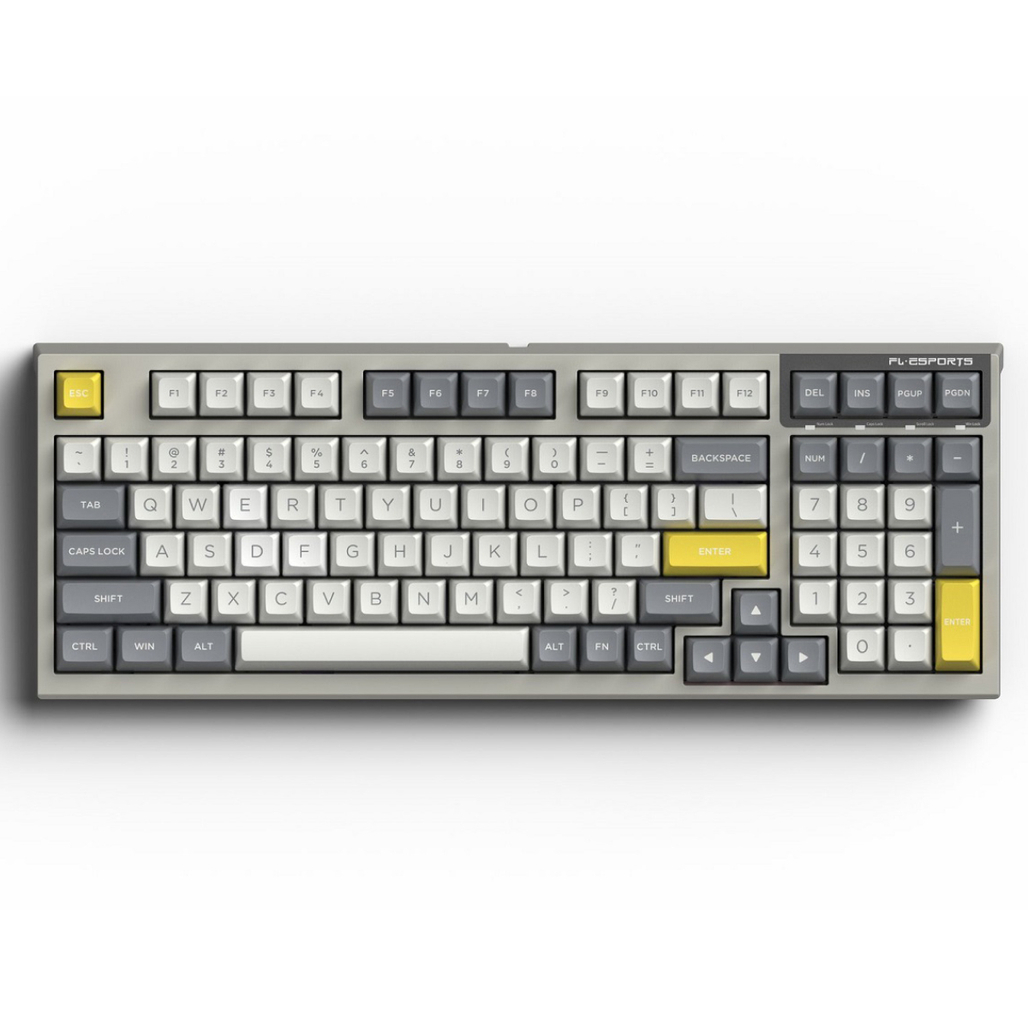
FL Esports — popular brand Vietnam esports community, hot-swap, RGB.
Lựa chọn khác:
- Wooting 60HE (analog actuation) ~5tr
- Razer Huntsman V3 Pro ~6tr
Keycaps materials
ABS plastic:
Ưu điểm:
- Smooth, common
- Cheap
Nhược điểm:
- Shine over time (oils)
- Less durable
PBT plastic:
Ưu điểm:
- Textured, no shine
- Durable years
- Premium feel
Nhược điểm:
- More expensive
- Thicker (some keyboards incompatible)
Top picks PBT:
- Akko ASA PBT
- Drop MT3
- Domikey
Profile shapes:
- OEM: standard (most keyboards)
- Cherry: lower profile
- SA: tall sculpted (retro)
- MT3: tall sculpted (drop)
- DSA / XDA: uniform (no sculpt)
Build quality factors
Case material:
- ABS plastic: cheap, light, sound thinner
- Aluminum: premium, heavy, "thock" sound
- Polycarbonate: muted sound, light
Plate material:
- Steel: stiff, sharp feel
- Aluminum: balanced
- Brass: heavy + clean sound
- Polycarbonate: bouncy + flex
Mounting style:
- Gasket mount: bouncy, modern (premium)
- Top mount: balanced
- Tray mount: cheap, hard
- Plateless: ultra-flex
Hot-swap vs Soldered
Hot-swap:
Ưu điểm:
- Swap switches no soldering
- Try different switches
- Easier maintenance
Nhược điểm:
- Slightly less reliable connection
- Costs slightly more
Soldered:
Ưu điểm:
- Reliable long-term
- Cheaper to manufacture
- Can solder yourself (advanced)
Nhược điểm:
- Cannot swap switches easily
- Maintenance harder
For Gen Z 2026: Hot-swap chosen by 80% buyers.
Ergonomic options
Split keyboard:
- ZSA Moonlander ~9tr
- Ergodox EZ ~6tr
- Mistel Barocco ~4tr
Ưu điểm:
- Natural shoulder position
- Reduce wrist strain
- Programmable layers
Nhược điểm:
- Learning curve
- $$$
- Difficult travel
Ortho-linear:
- Planck (40%) ~3-5tr build
- Preonic (50%) ~3-5tr
Ưu điểm:
- Grid layout less finger stretch
- Smaller footprint
Nhược điểm:
- Adjustment period
- Niche community
Sound profile
"Thocky" (premium deep):
- Cherry profile keycaps PBT
- Aluminum case
- Gasket mount
- Lubed linear switches
"Clacky" (sharper higher):
- ABS keycaps
- Plastic case
- Tray mount
- Stock switches
"Quiet office":
- Silent switches (Cherry MX Silent Red)
- Low profile mech
- Plastic case
- Sound dampening foam
Modding popular
Lubing switches:
- Krytox 205g0 (linear)
- Tribosys 3203 (tactile)
- Effort: 2-4h per board
- Result: smoother + quieter
Stabilizer mod:
- Lube + bandage / clip
- Reduce stab rattle
- Critical for spacebar feel
Tape mod:
- Tape underside PCB
- Cheap "thock" boost
- Reversible
Foam mod:
- Case foam (kill hollow)
- Plate foam
- Result: deeper sound
Build vs Pre-built
Pre-built (most users):
- Plug-and-play
- Warranty
- No skill required
Custom build:
- PCB + case + plate + switches + keycaps
- Cost similar pre-built
- Learning experience
- Customize endless
Custom newbie path:
- Choose 65-75% layout (versatile)
- PCB hot-swap
- Plate (PC for flex)
- Switches (Akko Cream tactile)
- Keycaps PBT
- Assemble + lube
Sai lầm phổ biến
| ❌ Sai | ✅ Đúng |
|---|---|
| Blue switches office | Silent red / brown |
| Cheap keyboard < 500k | Min 1-1.5tr quality |
| Skip ergonomic if wrist pain | Split / tenting consider |
| RGB-focus over feel | Switch + sound > RGB |
| Skip wrist rest | Foam / wood rest essential |
Buying tips VN
Where to buy:
- Switch and Click VN community
- Keychron Vietnam Lazada
- Akko official store Vincom
- Monsgeek Shopee mall
- HnamMobile multi-brand
Local communities:
- Vozforum keyboard section
- Facebook Mech Keyboard VN
- Discord servers Vietnamese typist
Try before buy:
- Compare model in-person
- Test switches sound profile
- Bring music player check noise level
FAQ chi tiết
Mechanical vs membrane keyboard difference?
Mechanical: each key separate switch, tactile feedback, lasts 50M+ keystrokes. Membrane (most cheap kb): rubber dome under keys, mushy feel, 5-10M keystrokes.
Worth upgrade if type 4+ hours/day.
Wireless mechanical OK cho typing?
Yes modern. Battery 3-6 weeks Logitech / Keychron. BT 5.0 lag minimal.
For gaming competitive: wired vẫn slightly better but margin negligible.
Hot-swap không cần học soldering?
Đúng. Hot-swap PCB có socket, push switch in/out. 5 phút swap entire keyboard switches.
Mua keyboard cho người mới ngân sách 1tr?
- Akko 3098B Plus ~900k (full size, hot-swap)
- Royal Kludge RK68 ~1.2tr (65%, wireless)
- Logitech MX Keys Mini ~3tr (low profile, office)
Pick layout phù hợp use case (gaming = TKL/65%, work = TKL/full).