
Hướng dẫn··5 phút đọc·NenMua Editor
Cách bảo mật tài khoản online Gen Z VN 2026 — password manager + 2FA + privacy
Hướng dẫn bảo mật tài khoản online Gen Z VN 2026 — password manager, 2FA, privacy tools. Bảo vệ tài khoản banking + social media.
Mục lục (40 mục)
TL;DR — 5 layer security
| Layer | Tool | Importance |
|---|---|---|
| 1. Password manager | 1Password / Bitwarden | Critical |
| 2. 2FA / MFA | Authy / Google Authenticator | Critical |
| 3. Phishing awareness | Education | High |
| 4. VPN | NordVPN / ProtonVPN | Optional |
| 5. Privacy browser | Brave / Firefox | Optional |
Layer 1: Password manager
Why password manager:
- Unique password mỗi account
- Generate strong password 30+ char
- Auto-fill safely
- Track data breach
Top password managers:
1Password ($3-5/tháng):
- Best UX
- Family sharing
- Watchtower breach alerts
- Travel mode
Bitwarden (free / $10/year premium):
- Open source
- Free tier generous
- Pro: file storage + premium 2FA
LastPass (avoid):
- Multiple breach history
- Not recommended 2024-2026
Dashlane:
- Good UX
- Premium VPN bundled
- More expensive
Setup steps:
- Sign up password manager
- Install browser extension + mobile app
- Master password 20+ chars
- Import existing passwords
- Audit weak/duplicate passwords
- Update weak ones
Master password tips:
- 4-5 random words (xkcd method)
- 20+ characters
- Memorable but not personal info
- Never reuse anywhere else
Layer 2: 2FA / MFA
Types of 2FA (from weakest to strongest):
SMS 2FA (weakest):
- Vulnerable SIM swap attack
- Better than nothing
- Use as fallback only
App-based TOTP:
- Authy, Google Authenticator
- Time-based code 30s
- Standard recommended
Hardware key:
- YubiKey, Google Titan
- Most secure
- Backup essential
Biometric:
- Face ID, Touch ID
- Convenient
- Pair với passcode backup
Setup 2FA priority:
- Email (primary)
- Banking
- Cloud storage (iCloud, Google)
- Social media (Facebook, Instagram)
- Shopping (Shopee, Lazada)
- Crypto wallet (urgent)
Backup codes:
- Print + store safe place
- Don't lose access to 2FA = lose account
- Multiple devices Authy app
Layer 3: Phishing awareness
Red flags:
- Urgent action required
- Click here NOW
- Threatening tone (account locked)
- Generic greeting ("Dear User")
- Suspicious sender domain
- Hover URL before click
VN-specific scams:
- Fake banking SMS từ "Vietcombank"
- Fake Shopee shipping URL
- Fake Vinfast hồ sơ check
- Phishing call posing as customs
Đừng:
- Click link in unexpected email
- Enter password from email link (go to site directly)
- Share OTP via phone call
- Install app từ link không official store
Layer 4: VPN (optional)
When VPN helps:
- Public Wi-Fi (cafe, airport)
- Geo-restricted content
- Privacy from ISP
When VPN doesn't matter:
- Already on HTTPS site (modern web 90%+ HTTPS)
- Trusted home Wi-Fi
- Banking app already encrypted
Recommend VPN:
- ProtonVPN — Swiss-based, free tier
- NordVPN — wide server, $3-5/month
- Mullvad — privacy-focused, anonymous
Tránh:
- Free VPN (logs data, slow)
- VPN từ unknown company
Layer 5: Privacy browser + tools
Browser choice:
- Brave — Chromium-based, ad block built-in
- Firefox — non-Chromium, customizable
- Safari — Apple ecosystem, privacy good
Tránh:
- Chrome (Google tracking heavy)
- Edge default settings
Browser extension privacy:
- uBlock Origin (ad block)
- Privacy Badger (tracker block)
- HTTPS Everywhere (force HTTPS)
- DuckDuckGo Privacy Essentials
Account audit checklist
Hàng tháng:
- Check 1Password Watchtower / Bitwarden breach
- Review login history (Facebook, Google)
- Update weak passwords flagged
- Logout old session unused devices
Hàng quý:
- Review connected apps (Google, Facebook)
- Remove old apps no longer use
- Update security questions
- Backup codes verify
Hàng năm:
- Master password rotate optional
- Hardware key add cho high-value
- Privacy setting review
Banking + financial security
VN banking accounts:
- Strong unique password
- SMS + biometric 2FA
- Limit transaction without OTP
- Monitor statement weekly
E-wallet:
- Momo, ZaloPay, Shopee Pay
- 6-digit PIN unique
- Biometric lock
- Don't link main bank — use sub account
Investment platform:
- VPS, SSI, TCBS
- 2FA hardware key preferred
- Withdraw whitelist bank account only
Lost phone scenario
Immediate:
- Find My iPhone / Android Device Manager — locate + remote wipe
- Call carrier — disable SIM
- Change Apple ID / Google password
- Logout banking app từ web
- Report to police if stolen
Prevent damage:
- Phone passcode strong (alphanumeric, not 6-digit)
- Auto-lock 30 giây
- Disable lock screen previews sensitive
- Find My device enabled
Pair với tablet for backup
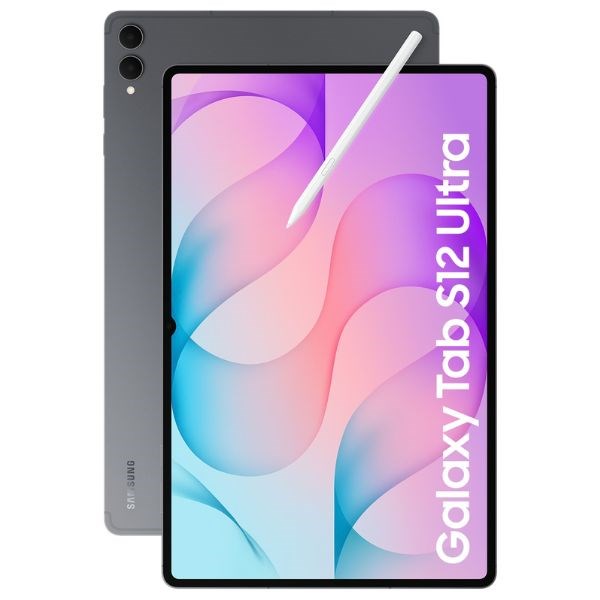
Tablet as 2FA backup device — install Authy second device.
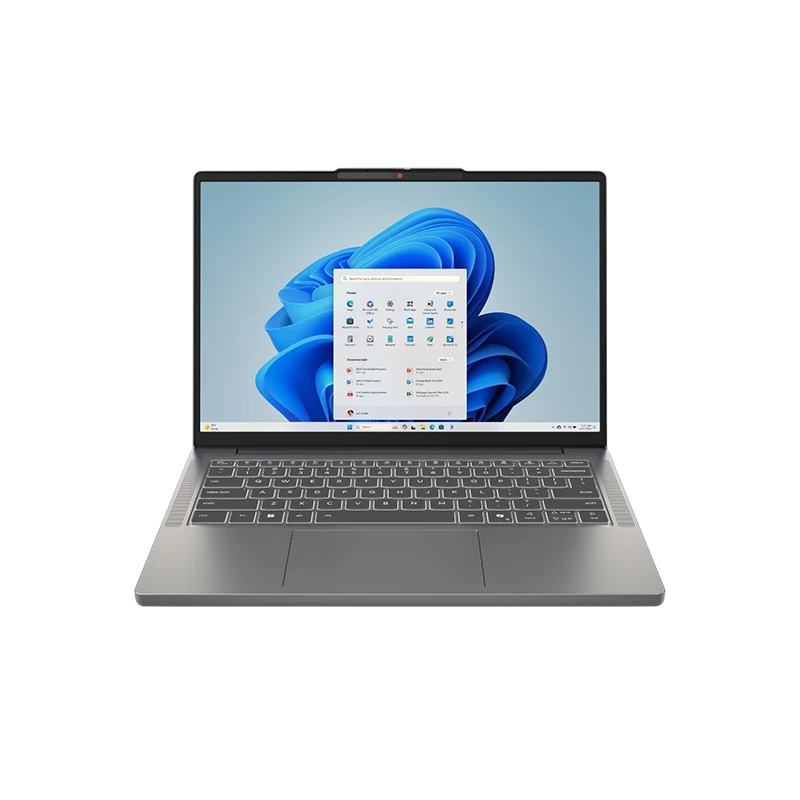
Laptop secondary với password manager web access.
VN-specific security
CCCD chip identity:
- Don't share photos publicly
- Used cho banking + government
Photo identification:
- Don't post boarding pass (QR has data)
- Don't post receipt (account number visible)
Family banking access:
- Don't share password
- Use authorized user / sub-account
Sai lầm thường gặp
| ❌ Sai | ✅ Đúng |
|---|---|
| Same password 10 account | Unique mỗi account |
| SMS 2FA only | App TOTP / hardware key |
| Reuse master password | Master = unique standalone |
| Skip 2FA "phiền" | Critical for banking + email |
| Click email link | Type URL trực tiếp |
FAQ chi tiết
Bao lâu rotate password?
- Best practice: rotate when breach detected
- Old advice "every 90 days" outdated
- Strong unique password > frequent change
Có nên dùng password manager VN? 1Password / Bitwarden international = better security. VN-specific không có competitive.
Hardware key cần thiết không?
- High-value account (banking, crypto, business): YES
- Personal social: optional
Mua chính hãng ở đâu?
- 1Password: 1password.com subscription
- Bitwarden: bitwarden.com (free) hoặc app store premium
- YubiKey: Yubico official store, Amazon VN limited